1
Chapter 1 — Using the CV30 Fixed Mount Computer
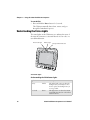
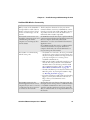
Understanding the CV30 Status Lights (continued)
Light Name
Color
Description
Ready-to-Work
indicator™
Blue
The blue light indicates when the
CV30 is ready to use in your
application, typically TE 2000. If you
have problems using the TE 2000
application, see the TE 2000 Terminal
Emulation Programmer’s Guide
(P/N 977-055-008).
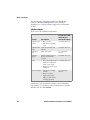
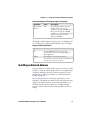
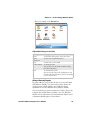
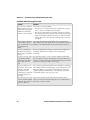
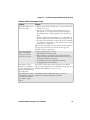
The Ready-to-Work indicator has three states: off, blinking, and
on. Use this table to understand the different states of the light.
Ready-to-Work Light States
Light State
What It Means
Off
The TE 2000 application has not loaded
successfully, or you are not running a Ready-toWork application.
The CV30 is not connected to the host.
A connection to the server has been established and
all network connections are active.
Blinking
On
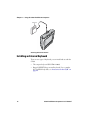
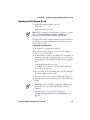
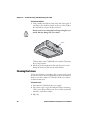
Installing an External Antenna
You can purchase a 2.4 GHz “patch” antenna to mount on a wall,
fork lift, or other flat surface using either screws or small patches
of adhesive-backed hook and loop fastener material. For more
information on ordering an antenna, see “Accessories for the
CV30” on page 86.
Since system performance and antenna polarization are sitedependent, a permanent mounting location and orientation may
require some experimentation. In most fixed installations, you
should mount the antenna initially in a vertically-polarized
position, with the cable from the antenna parallel to the floor/
ceiling.
CV30 Fixed Mount Computer User’s Manual
11