1
Games
Getting Started
Before using Digitz the first time, install 3 C batteries (not included).
See
page 3 for battery instructions.
1
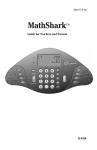
1 Press POWER to turn on the unit.
2 Then choose a game by pressing one of the five orange GAME buttons
2 located under the WINDOW.
3
3
How to Play
4
4
5
5
Skip It!
Nine multiples of a number appear on the answer paddles.
Press the multiples in order, from least to greatest.
1
2
3
Choose a multiple to practice.
Press the multiples on the ANSWER
PADDLES from lowest to highest.
When all the multiples have been
correctly pressed in order, your final
elapsed time appears in the WINDOW.
Fast Facts
1
Choose a fact to practice.
PAGE 4
Random multiplication facts appear on the LCD screen.
Press the answer paddle with the correct answer.
2
Wrong
Answer
Read the problem in the WINDOW and
press the correct ANSWER PADDLE.
If you press an incorrect answer, you
will be asked this problem again at
the end of the game.
3
When you have correctly answered
all 10 problems, your elapsed time
appears in the WINDOW.
PAGE 5