1
Caveats
•
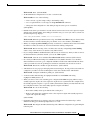
Uplinks go down when upgrading the ROMMON of an WS-X45-SUP6-E supervisor from version
0.34 to a later version.
This behavior occurs in a redundant switch when the active supervisor engine is running Cisco IOS,
the standby supervisor engine is in ROMMON, and the standby supervisor engine’s ROMMON is
upgraded from version 0.34 or to a later version. The upgrade process causes the uplinks on the
standby supervisor engine to go down but the active supervisor engine is unaware of this.
Workarounds: To resume normal operation, do one of the following:
– Reload both supervisor engines with the redundancy reload shelf command.
– Power-cycle the standby supervisor engine by briefly pulling it from the chassis.
There is no workaround for the link flap issue. (CSCsm81875)
•
Changing flow control configuration with traffic and pause frames causes some traffic loss.
This problem can happen when pause frames are sent to the switch port and the flow control receive
configuration is toggled on 10-Gb port.
Workaround: Change the flow control receive configuration when no traffic exists. (CSCso71647)
•
When a packet is switched through software on the switch, you might see that the input QoS marking
action on that packet does not take effect.
The issue is observed only for packets that are logically switched but are internally controlled such
that on egress the system is generated by the switch itself. This can happen for certain snooping
features such as DAI, IGMP snooping, DHCP snooping, and MLD snooping. This can also happen
for IPv4/v6 packets with IP options/ extension headers that need processing in software.
Workaround: None.
(CSCso96660)
•
If an EtherChannel is a member of a FlexLink pair, then static MAC addresses configured on the
EtherChannel are not moved to the alternate port when the EtherChannel fails (FlexLink failure).
Workaround: None. (CSCsq99468)
•
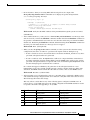
When a CFM Inward Facing MEP (IFM) is configured on a VLAN that is not allocated on a switch
port that is DOWN, the show ethernet cfm maintenance-points local command displays the
IFM CC Status as inactive. When you allocate the VLAN, the CC-status remains inactive.
You only see this behavior if you initially did not allocate a VLAN before you configure the IFM,
and then at a later time allocate the same VLAN.
Workaround: Unconfigure, and then reconfigure the IFM on the port.
•
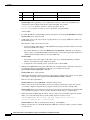
When you configure vlan dot1q tag native globally on Supervisor Engine 6-E, MST control packets
are tagged on egress on the native VLAN. This conflicts with 802.1s. The Cisco 7600 Series router
drops its MST proposal agreements (because it expects the native VLAN MST control packets to be
untagged), causing 30 seconds of traffic loss while spanning tree converges.
Workaround: Disable native VLAN tagging on the trunk port of the switch using the
no switchport trunk native vlan tag command.
CSCsz12611
•
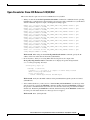
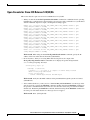
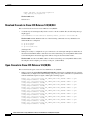
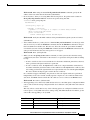
When you load software images earlier than Cisco IOS Release 12.2(53)SG4, 12.54(SG) or
15.0(1)SG on a redundant WS-C4510R+E or WS-C4507R+E chassis, the active supervisor engines
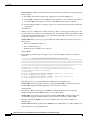
displays the following log message:
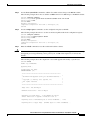
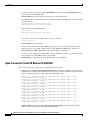
%C4K_CHASSIS-3-CHASSISTYPEMISMATCHINSPROM: Supervisor's FPGA register chassis type is
WS-C4510R-E, but chassis' serial eeprom chassis type is Unknown chassis type
Release Notes for the Catalyst 4500 Series Switch, Cisco IOS Releases 12.2(54)SG to 12.2(37)SG
110
OL-5184-91