1
Upgrading the System Software
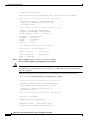
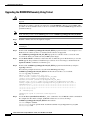
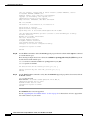
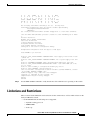
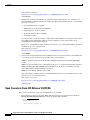
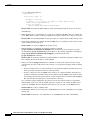
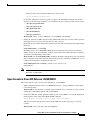
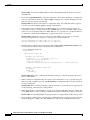
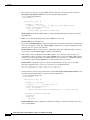
Beginning erase of 0x100000 bytes at offset 0x3e00000...
Beginning write of prom
Done!
(0x100000 bytes at offset 0x3e00000)...
This could take as little as 30 seconds or up to 2 minutes.
Please DO NOT RESET!
Verifying...
Success! The prom has been upgraded successfully.
System will reset itself and reboot within few seconds....
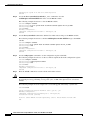
Step 7
Boot the Cisco IOS software image, and enter the show version command to verify that ROMMON has
been upgraded to 12.2(25r)EWA.
Step 8
Use the delete command to delete the PROM upgrade program from bootflash and the squeeze command
to reclaim unused space.
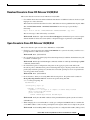
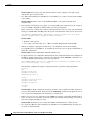
The following example shows how to delete the cat4000-ios-promupgrade-122_25r_EWA image from
bootflash and reclaim unused space:
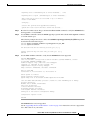
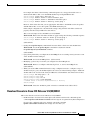
Switch# delete bootflash:cat4000-ios-promupgrade-122_25r_EWA
Switch# squeeze bootflash:
All deleted files will be removed, proceed (y/n) [n]? y
Squeeze operation may take some time, proceed (y/n) [n]? y
Switch#
Step 9
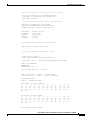
Use the show version command to verify that the ROMMON has been upgraded
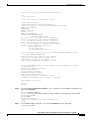
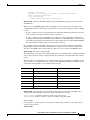
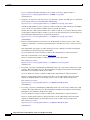
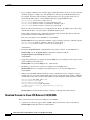
Switch# show version
Cisco IOS Software, Catalyst 4900 L3 Switch Software (cat4500-IPBASE-M), Version
12.2(25)EWA, RELEASE SOFTWARE (fc1)
Technical Support: http://www.cisco.com/techsupport
Copyright (c) 1986-2005 by Cisco Systems, Inc.
Compiled Wed 17-Aug-05 17:09 by alnguyen
Image text-base: 0x10000000, data-base: 0x11269914
ROM: 12.2(25r)EWA
Pod Revision 0, Force Revision 31, Tie Revision 17
Switch uptime is 1 minute
System returned to ROM by reload
System image file is "bootflash:cat4500-ipbase-mz.122-25.EWA"
cisco WS-C4948-10GE (MPC8540) processor (revision 3) with 262144K bytes of memory.
Processor board ID 0
MPC8540 CPU at 667Mhz, Fixed Module
Last reset from Reload
1 Virtual Ethernet interface
48 Gigabit Ethernet interfaces
2 Ten Gigabit Ethernet interfaces
511K bytes of non-volatile configuration memory.
Configuration register is 0x2
Switch#
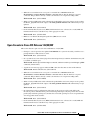
The ROMMON has now been upgraded.
See the “Upgrading the Cisco IOS Software” section on page 27 for instructions on how to upgrade the
Cisco IOS software on your switch.
Release Notes for the Catalyst 4900 Series Switch, Cisco IOS Release 12.2(40)SG
OL-9592-17
21