1
Chapter 3
Installing the CiscoWorks 1130 Wireless LAN Solution Engine
Installing the CiscoWorks 1130 Wireless LAN Solution Engine
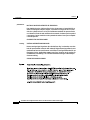
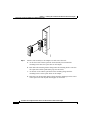
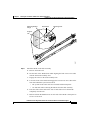
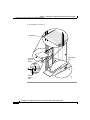
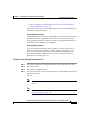
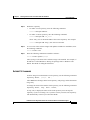
Attach one or two rear adapters to the rails of the rack as shown in the following
examples.
•
Attach one adapter for racks with depths of 25 3/8 to 30 inches. See the
following example.
•
Attach two adapters for racks with depths of 24 1/4 to 25 3/8 inches. Make
sure the longer bracket is at the rear. Attach the two brackets to each other by
using two cage nuts and two screws. See the following example.
91695
Step 3
Installation and Configuration Guide for the CiscoWorks Wireless LAN Solution Engine
78-15903-01
3-5