1
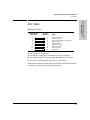
Graphical Software
From HP Interconnect Manager
IP Addressing:. By default, the hub with an HP 100VG SNMP/Bridge Module
installed is configured to automatically seek an IP address from a BOOTP
server on the network. This is done when the hub is powered on. If an IP
address is not found, the Module will seek an IP address every ten minutes
until it finds one.
To take advantage of the BOOTP feature, you must set up your BOOTP
(Internet Boot Protocol) server with the IP configuration for your hub before
you connect the hub to the network and power it on. To set up your BOOTP
server, see an example of a BOOTP table in appendix B, “Network Addressing”
in this guide.
IPX Addressing:. By default, the hub with an HP 100VG SNMP/Bridge
Module installed will automatically acquire an address from an IPX router on
the network.
2-5
Graphical Software
Alternatively, you can manually configure an IP address on the hub by using
the IP configuration function in HP Stack Manager or the IPconfig ASCII
console command.