1
Perforate
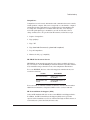
HP Customer Support Services
How to get the latest software/firmware
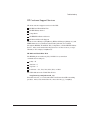
You can download any of the following:
HP AdvanceStack SNMP firmware:
HP Interconnect Manager:
HP Stack Manager
asfw.exe
icmupdt.exe
stkmgr.exe
from the World Wide Web, HP BBS, HP FTP Library Service, and
CompuServe. After you download the file, exact the file file by typing
filename /x. For example asfw.exe /x
World Wide Web
http://www.hp.com/go/network_city
HP BBS
With your telecommunication program (e.g., Windows Terminal) dial
(208) 344-1691 with your modem. At the Filename prompt, type the name of
the file. For example asfw.exe /x
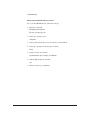
HP FTP Library Service
1) FTP to Internet IP Address - ftp ftp-boi.external.hp.com
2) Log in as anonymous and press [Return] at the password prompt.
3) Type bin to set the file type.
4) Type cd pub/networking/software
5) Type get filename (e.g., icmupdt.exe) to transfer the file to your computer.
6) Quit the FTP session.
CompuServe
1) Login to CompuServe
2) Type go hpsys
3) Type lib 7
4) Type download filename. (e.g., download icmupdt.exe)
5) Quit CompuServe.
Obtain the latest software (asfw.exe, icmupdt.exe,
stkmgr.exe) from:
World Wide Web:
http://www.hp.com/go/network_city
HP FTP Library Service ftp-boi.external.hp.com
CompuServe
go hpsys
lib 7
download filename.exe
HP BBS
(208) 344-1691
Perforate
Perforate
Perforate
Perforate
✁