1
Bluetooth® Pairing
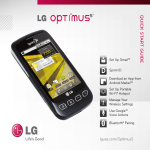
Take advantage of the freedom of Bluetooth wireless
technology with Optimus C.
1. From the Home screen and with the device you wish
.
to pair with in pairing mode,* press
2. Touch Settings > Wireless & networks.
3. Touch Bluetooth to turn Bluetooth power on.
4. Touch Bluetooth settings > Scan for devices.
5. Touch the name of the device you wish to pair with.
6. Touch Pair to pair and connect.
*Please consult the documentation included with the Bluetooth
device for information on placing the device into pairing mode.