1
Make a Phone Call
Manage Contacts
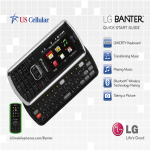
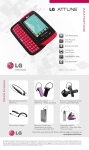
LG Envoy’s large keypad makes dialing phone
numbers quick and easy.
Make a Phone Call
1.From standby mode, begin dialing a number or
start spelling the name of the desired contact.
2.Press the Send Key to call the number or highlight
.
the contact you wish to call and press
From Recent Calls
1.From standby mode, press the Send Key.
2.Highlight the number you wish to call and press
the Send Key.
Envoy has plenty of space for your numbers and email
addresses. Back up your contacts with My Contacts
Backup in case your phone is ever lost or stolen.
Add a Contact
1.From standby mode, press the Right Soft Key
for Contacts.
2.Press the Left Soft Key for New.
3.Enter the contact’s information and then press
for Save.
Back Up Contacts
for Menu.
1.From standby mode, press
2.Select My Contacts Backup (0).
3.Press the Left Soft Key for Next.
4.Read the terms and conditions and press the
Left Soft Key for Yes.
5.Enter a PIN that’s easy for you to remember—
you’ll need it to manage your account online.
6. Press the Left Soft Key for OK twice.
7.Press the Left Soft Key for Yes to back up
your contacts.
.
8.Press