1
Generating and editing lead sheets
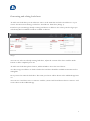
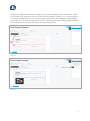
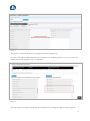
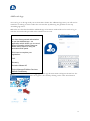
To add a new lead sheet you can either use “New” in the menu bar and select “Lead sheets” or you
can use the menu item “Settings” and select “Lead sheets” from there (Image 1).
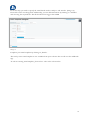
From here you can manage already existing lead sheets or add new ones. After your first login you
will already find a standard lead sheet available in this list.
Image 1
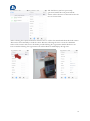
You can now select an already existing lead sheet, adjust the content of the sheet with the “Edit”
button or add a completely new one.
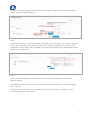
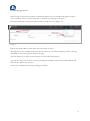
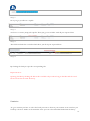
To add a new lead sheet please click on „Add Lead Sheet“ above the list of sheets.
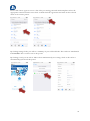
As a first step you will have to decide whether the lead sheet should be available in German and/or
in English.
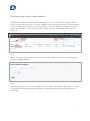
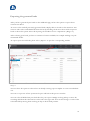
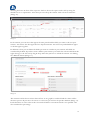
Now you need to name the lead sheet. The name you choose will be shown in the AddLeads app later
on.
You can stet a lead sheet active or inactive with the „status“ field. Lead sheets that are “inactive” will
not be shown in the AddLeads app.
3