1
Technical advises
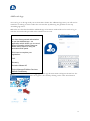
The AddLeads App supports iOS 7 and higher. It’s not possibile to install the app to iOS devices
running an older version. You can install the app to an iPad, iPad mini and iPhone running iOS 7 or
higher.
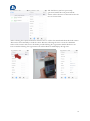
The AddLeads android App supports android 4.0 and higher. If you install the app on devices
running an older version it may causes problems.
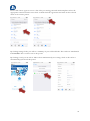
The best user experience of the AddLeads portal will be performed by using the latest version of
Chrome or Firefox.
Using the Internet Explorer, ab version 10.0 may result in reduced functionality of the AddLeads
portal. Older versions of Internet Explorer are not supported and may cause strong restrictions on
the use of the AddLeads Portal.
If the execution of JavaScript is blocked, a complete operation of AddLeads portal is not possible.
Login and use of the web interface
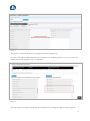
When you order AddLeads from the OBS you will receive an email with a link to the web interface
where you will need to confirm your account by giving yourself a password.
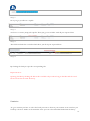
Afterwards you will be able to log in to the web interface with your username (the email address you
provided in the OBS) and the password you have given yourself. The same login details give you
access to the AddLeads app. Please note that you will need to create additional accounts for the
additional users of the app.
The web interface will enable you to install users for the AddLeads app, create and edit lead sheets
and export your leads after you have compiled them with the AddLeads app.
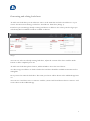
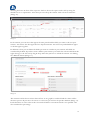
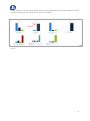
When you log in to the web interface you will see the co called „Dashboard“. Here you will find
general information about the event as well as a graphical display of your collected leads.
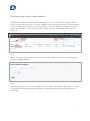
In top area you will find the menu bar. By clicking on “Leads” you will receive a list of all collected
leads.
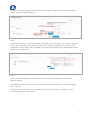
The menu item „New“ lets you create new lead sheets, email template or app users.
Through „Settings“ you are able to manage the according elements respectively.
2