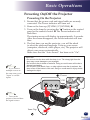
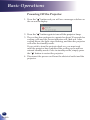
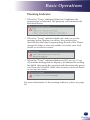
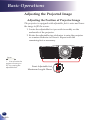
1
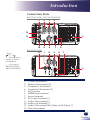
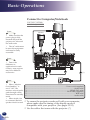
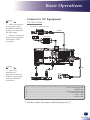
Basic Operations Connect to Computer/Notebook RICOH PJ X2240 / RICOH PJ WX2240 N ot e Monitor Make sure that the power plug is fully inserted into both the projector AC inlet and the wall outlet. 3 2 11 1 6 R 5 10 15 1 6 5 N ot e 11 5 10 15 The AC outlet must be near this equipment and must be easily accessible. (*) 4 E62405SP Due to the difference in applications for each country, some regions may have different accessories. 2 1 (*) 6 N ot e When “Monitor Out (Standby)” is set to “Off”, the monitor out and audio path-through will be deactivated in standby mode. When Audio Out is connected, Built-in speaker doesn’t sound. 26 English Powered Speaker 1.............................................................................................Power cord (supplied) 2............................................................................................................... Audio cable 3.................................................................................................... HDMI/DVI cable 4............................................................................................... RGB cable (supplied) 5.................................................................................................................. RGB cable 6............................................................................................................... Audio cable T o ensure the projector works well with your computer, please make sure the timing of the display mode is compatible with your projector. (See pages 52-55) U se the cables that come with the projector. (*)