1
IMKO Micromodultechnik GmbH
3.2.1.4.1
The user interface Manual
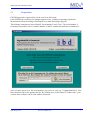
Pressing the button
opens the user interface for extracting readings manually.
c
d
g
e
f
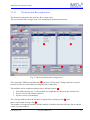
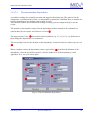
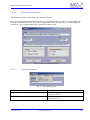
Fig. 13: The user interface Manual
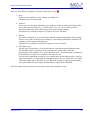
All the important data about the selected module c is available on the user interface for
extracting readings manually. The modules can be selected via the serial number or via the module
ID (station number). The Interface and Baud rate d settings are also shown. The serial number,
the module ID (station number), the module type, plus the software and hardware version are
shown in Module information e. The aspect ratio factor (qx) and the offset (b) are shown as
module-internal conversion factors f for the two channels.
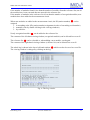
The current reading of the selected module is recorded in the right-hand viewing window g.
ENVISLog V3.0
Ref. No. El0901-04-e
21