1
4. Getting started
EvoPrimer for STM8L
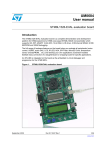
4.6 Explore the STM8 Toggle application
A Toggle example is installed with the RKit-STM8 for Ride7 in the following directory:
“[RIDE7_INSTALL_DIR]\Examples\STM8\STM8L-EvoPrimer\Toggle_with_CircleOS\”
Follow these steps to execute the example on your EvoPrimer:
1.
Open Ride7.
2.
Select Open | Project and navigate to the example.
3.
Click on Project | Make Project.
4.
Once the project is built, connect your EvoPrimer to your PC through USB. Click Debug |
Start.
5.
Once the debugger is ready, you can run the example through Debug | Run.
You can then play with the sample application on your EvoPrimer.
- 16 -