1
ENG
1.
PRESENTATION
5
2.
GRAPHIC INTERFACE
6
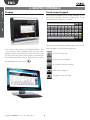
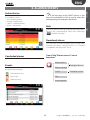
Display ...............................................................................................................................................................................................6
Touch screen keypad ...............................................................................................................................................................6
Navigation buttons ...................................................................................................................................................................7
Main menu .....................................................................................................................................................................................8
3.
START UP
9
installer / user
Content
Start-up wizard.............................................................................................................................................................................9
4.
CONFIGURATION
10
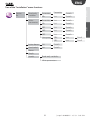
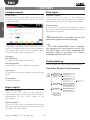
Line configuration................................................................................................................................................................... 10
Model management ............................................................................................................................................................. 11
How to configure a simple line ........................................................................................................................ 12
How to differentiate a device (or a group of devices) from the standard ............................. 13
How to create a Restore Point ........................................................................................................................... 17
How to use a previously created Restore Point ...................................................................................... 18
5.
SCHEDULER
19
installer
How to customise a device model ................................................................................................................. 14
Site information ........................................................................................................................................................................ 15
Users ............................................................................................................................................................................................. 15
System pages ............................................................................................................................................................................. 16
Network configuration......................................................................................................................................................... 16
Support.......................................................................................................................................................................................... 17
I/O Configuration .................................................................................................................................................................... 19
Phone book................................................................................................................................................................................. 20
Rule configuration .................................................................................................................................................................. 20
I/O test............................................................................................................................................................................................ 21
Guardian........................................................................................................................................................................................ 21
How to set scheduled rules ............................................................................................................................... 23
How to set the rules
.................................................................................................................................. 25
How to configure the Guardian program .............................................................................................. 26
How to configure email.......................................................................................................................................... 27
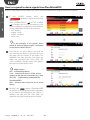
How to create a scheduled rule to download a report from PlantWatchPRO .................................28
3
"pwpro" +040000191 - rel. 1.0 - 13.01.2014