1
User guide
Cisco TelePresence System EX90
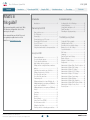
Contents
Contents
Introduction
Connecting the EX90
Using the EX90
What’s in
this guide?
Introduction
The top menu bar and the entries in the Table
of Contents are all hyperlinks. Just click on
them to go to the topic.
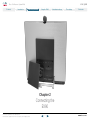
Connecting the EX90
We recommend that you visit the Cisco web
site regularly for updated versions of this
guide. Go to: http://www.cisco.com
Scheduled meetings
Introduction............................................................. 4
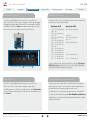
Rear sockets access............................................... 7
The EX90 parts ...................................................... 7
Connecting ............................................................ 7
Connecting for use as PC screen .......................... 7
Connecting a PC to the unit.................................... 8
Use as PC screen................................................... 8
Setting the screen resolution.................................. 8
Using an external monitor to show presentations........ 8
Camera adjustments............................................. 10
Use as document camera..................................... 10
Touch controller—initial view.................................. 11
Initial settings—before you begin........................... 12
Calling someone using their name, number or
address................................................................. 13
Searching for an entry in any of the lists.............. 14
Calling an entry in any of the lists......................... 15
Two calls at the same time................................... 16
Two calls at the same time................................... 16
Transferring calls................................................... 17
Calling participants to set up a Multisite call......... 18
Adding participants to an ongoing call (Multisite)....... 19
Layout control in MultiSite..................................... 20
Adding participants to an ongoing call (Multiway)...... 21
History................................................................... 22
Searching.............................................................. 22
Directory............................................................... 22
Favorites............................................................... 22
Do not disturb....................................................... 23
Using Touch Tones (DTMF)................................... 23
Far end camera control......................................... 23
Calling the Help Desk............................................ 23
Sharing contents—conducting presentations........ 24
All contents are copyright © 2010–2012 Cisco Systems, Inc. All rights reserved.
Contact us
Scheduled meetings
Using the EX90
D14724.08 User guide EX90, TC5.1, February 2012
The settings
2
Looking into the List of Meetings.......................... 26
Joining a Meeting................................................. 27
Joining while already in a call............................... 27
Parallel meetings.................................................. 27
Extending an ongoing meeting............................. 27
The Settings using Touch
Setting the EX90 in standby................................. 29
Shutting down the EX90....................................... 29
Reverting to factory default settings..................... 29
Gaining access to the Settings............................. 30
System Information............................................... 31
Call Status............................................................. 32
Language.............................................................. 33
Camera Control and Settings............................... 34
Display Settings.................................................... 35
Ringtone & Sound Settings................................... 36
Background........................................................... 37
Administrator Settings—Date, Time & Location..... 38
Administrator Settings—Call Settings.................... 39
Administrator Settings—IP Settings....................... 40
Administrator Settings—H.323 Settings................ 41
Administrator Settings—SIP Settings..................... 42
Administrator Settings—Provisioning..................... 43
Administrator Settings—Multiway.......................... 44
Administrator Settings—Web Snapshots............... 45
Administrator Settings—EMC Resilience Mode..... 46
Administrator Settings—Factory Reset.................. 47
Restart System..................................................... 48
www.cisco.com