1
WWW.FOSCAM.COM
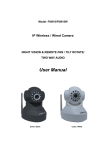
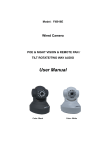
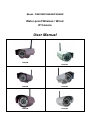
FI8903W /FI8904W/ FI8905W User Manual
CONTENTS
1 WELCOME ............................................................................................................................... 2
1.1 Features ..............................................................................................................................................................2
1.2 Packing List.........................................................................................................................................................3
1.3 Product views......................................................................................................................................................3
1.4 Preparations before use......................................................................................................................................5
2 SOFTWARE OPERATION........................................................................................................ 7
2.1 IP Camera Tool ...................................................................................................................................................7
2.2 Camera Login ...................................................................................................................................................11
2.3 Device Status ....................................................................................................................................................15
2.4 For Visitor..........................................................................................................................................................16
2.5 For Operator......................................................................................................................................................17
2.6 For Administrator...............................................................................................................................................18
3 How to configure settings in For Administrator................................................................. 20
3.1 Alias Settings ....................................................................................................................................................20
3.2 Date & Time Settings ........................................................................................................................................20
3.3 User Settings ....................................................................................................................................................21
3.4 Multi-Device Settings ........................................................................................................................................22
3.5 Basic Network Settings .....................................................................................................................................26
3.6 Wireless LAN Settings ......................................................................................................................................28
3.7 ADSL Settings ...................................................................................................................................................28
3.8 UPnP Settings...................................................................................................................................................28
3.9 DDNS Service Settings.....................................................................................................................................28
3.10 Mail Service Settings ......................................................................................................................................29
3.11 MSN Settings ..................................................................................................................................................30
3.12 FTP Service Settings ......................................................................................................................................32
3.13 Alarm Service Settings....................................................................................................................................33
3.14 Upgrade Device Firmware ..............................................................................................................................38
3.15 Backup & Restore Settings .............................................................................................................................38
3.16 Restore Factory Settings ................................................................................................................................38
3.17Reboot Device .................................................................................................................................................39
3.18 Log ..................................................................................................................................................................39
3.19 Back ................................................................................................................................................................39
Shenzhen Foscam Intelligent Technology Co., Ltd
Tel: 86 755 2674 5668 Fax: 86 755 2674 5168
1