1
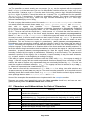
Table of Content
1 About Find & Replace It!................................................................................................................ 4
1.1 Summary............................................................................................................................... 4
1.2 Main Features........................................................................................................................ 5
1.3 Supported Platforms.............................................................................................................. 5
1.4 Getting Started....................................................................................................................... 6
1.5 Support and Services............................................................................................................. 6
1.6 What to Do in Case Of Problems?......................................................................................... 6
1.7 Known Issues and Limitations................................................................................................ 7
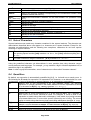
2 Installation..................................................................................................................................... 8
3 Activation....................................................................................................................................... 9
3.1 Demo Version........................................................................................................................ 9
3.2 Full Version.......................................................................................................................... 10
4 User Interface.............................................................................................................................. 12
5 Two-Minute Guide to Replacing Text in Files............................................................................... 14
6 Functions..................................................................................................................................... 15
6.1 Selecting Files to Process.................................................................................................... 15
6.2 Detecting or Selecting the Encoding of Files........................................................................ 16
6.3 Converting the Encoding of Files......................................................................................... 17
6.4 Searching for an Expression in Files.................................................................................... 18
6.5 Replacing a Given Expression in Files................................................................................. 19
6.6 Executing Several Replacements in One Shot.....................................................................20
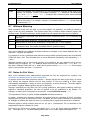
6.7 Editing Find & Replace Preferences.................................................................................... 20
6.7.1 Changing the Encoding Detection Behavior................................................................. 21
6.7.2 Doing Backups of Files before Modification.................................................................. 21
6.8 Using the Find & Replace Preview....................................................................................... 21
6.8.1 Previewing as Plain Text............................................................................................... 22
6.8.2 Previewing as HTML.................................................................................................... 24
6.9 Using the Regular Expression Editor................................................................................... 25
6.10 Advanced Replacements................................................................................................... 26
6.10.1 Using of Captured Texts within Replaced Texts.......................................................... 26
6.10.2 Processing the Captured Texts with Built-In Functions............................................... 28
6.10.3 Processing the Replaced Texts by Script....................................................................28
6.11 Using the Output Window................................................................................................... 32
6.12 Editing the Preferences...................................................................................................... 32
6.13 Using the Command Line...................................................................................................34
6.14 Using Find & Replace It! Documents................................................................................. 35
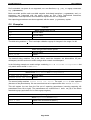
7 Tips and Tricks............................................................................................................................ 36
7.1 Multi-document Tabs............................................................................................................ 36
7.2 Working with Text Areas....................................................................................................... 36
7.2.1 Navigating text.............................................................................................................. 36
7.2.2 Editing Text................................................................................................................... 36
7.2.3 Undo/Redo Changes.................................................................................................... 37
7.2.4 Changing Display Properties........................................................................................ 37
7.2.5 Searching for Text in Text Areas................................................................................... 37
7.3 Using Logical Folders for Searching Files............................................................................ 38
7.4 Using Local Storage for Settings.......................................................................................... 38
7.5 Multi File Selection in the Found Files List........................................................................... 39
7.6 Getting Examples................................................................................................................. 39
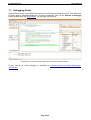
7.7 Debugging Script................................................................................................................. 40
8 Regular Expressions................................................................................................................... 41
8.1 Introduction.......................................................................................................................... 41
8.2 Characters and Abbreviations for Sets of Characters..........................................................42
8.3 Sets of Characters............................................................................................................... 43