1
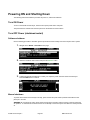
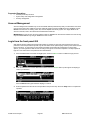
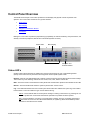
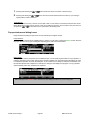
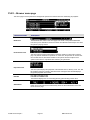
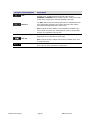
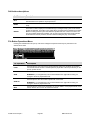
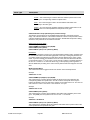
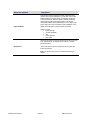
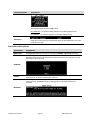
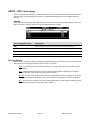
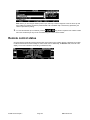
Drive Detected / Drive Not Mounted (Dotted Hollow Square/Crosshatched) – This state indicates that a drive
is present in the drive slot but that the drive is not currently mounted. This status indicator is a visual cue to the
operator that the drive may be removed from the system safely.
Drive Detected / Drive Mounted (Solid Square) – This state indicates that a drive is present in that drive slot
and that the drive is currently part of a mounted volume.
Drive Error (Flashing X) – This state indicates that an error has been detected with a mounted hard drive.
Check the Error Log for more details.
Drive Activity (Rotating Line) – This state indicates that a drive is busy performing read or write operations.
This status indicator is a visual cue to the operator that the drive may NOT safely be removed from the system.
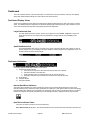
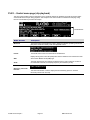
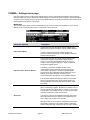
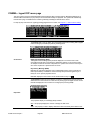
Audio Meters
The audio meters display audio output activity on the active audio channels. All 16 available channels are
represented on the dashboard even when there is not activity on all channels.
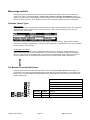
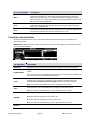
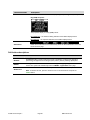
Transport Status
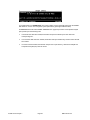
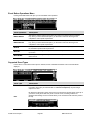
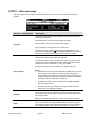
The center area of the dashboard is used to display current Transport and System status states. Special “states” or
modes will be shown in brackets as described below.
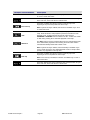
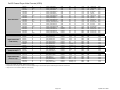
New transport/system states may be added in order to support content loading operations.
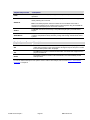
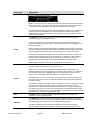
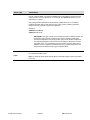
[PLAY]
[READY]
BUSY
RECEIVING
PLAYING
LOOPING
SENDING
SHTL-PAUSED
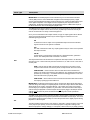
SHTL +nX
SHTL -nX
JOG
COPYING
BACKUP
RESTORE
FORMAT
Cinema Player is in a “play” state, but not yet playing clips (i.e., vmode p).
Cinema Player is in neither a “play” nor “record” state (i.e., vmode n).
This may appear when performing diagnostics, for example.
Cinema Player is busy switching modes, and is not ready for GUI control.
Cinema Player is receiving content from a unit via Ethernet.
Cinema Player is playing content (at 1X speed).
Cinema Player is looping content (at 1X speed).
Cinema Player is sending content to another unit via Ethernet.
Cinema Player is paused in Shuttle mode (Play).
Cinema Player is scanning Fwd (+) at “n” speed (n is a decimal).
Cinema Player is scanning Rev (-) at “n” speed (n is a decimal).
Cinema Player is in Jog mode and virtual J/S wheel is active.
Cinema Player is currently performing a copy operation.
Cinema Player is copying files to tape (reading from hard disk drives).
Cinema Player is restoring files from tape (writing to hard disk drives).
Cinema Player is formatting a tape.
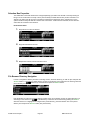
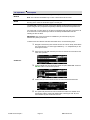
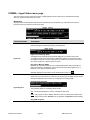
Timecode Indicator
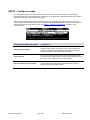
The time code indicator displays the appropriate time code values as content is being played or controlled. The
dashboard timecode indicator will follow Cinema Player time code controls and operation.
The timecode indicator will follow the LTC output (OUTPUT – Timecode menu page) control setting when in play
mode. If a clip to be played back has source time code AND the LTC out control is set to “Original Source LTC”,
then SRC time code will be displayed; otherwise ABS time code will be displayed.
In the event that a Virtual Tape (.vtp) or Timeline (.tl) media file is being played, the dashboard timecode indicator
will display TCV timecode (Timecode Virtual).
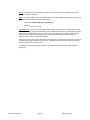
Note: The current system TIME is the default Timecode type displayed on the dashboard while the server is not
actively playing content.
QuVIS Cinema Player™
Page 51
QSR Version 3.3