1
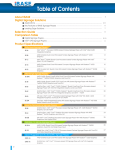
TABLE OF CONTENTS
GETTING STARTED .............................................................. 4
Vector Pro Launch System Components.................................. 4
System Requirements .......................................................... 5
Video Camera Specifications ................................................. 6
Safety Instructions .............................................................. 7
Care and Handling............................................................... 7
AccuSport Vector Pro Illustration ........................................... 8
Prior to Software Installation (Windows XP) ............................ 9
Prior to Software Installation (Windows Vista) ....................... 10
Disabling User Account Control (Windows Vista) .................... 12
Software Installation ......................................................... 13
Hardware Installation (Windows XP) .................................... 14
Hardware Installation (Windows Vista) ................................. 17
SETTING UP ..................................................................... 19
Charging the Battery ......................................................... 19
Positioning the Vector Pro, Laptop Computer, Video Camera ... 20
Starting the Software ........................................................ 21
Setup Wizard .................................................................... 21
Video Camera Installation (Optional) ................................... 24
Marking the Ball ................................................................ 25
Positioning the Ball ............................................................ 25
Hitting Your First Shot ....................................................... 26
Switching Modes of Operation ............................................. 26
VECTOR PRO SOFTWARE FEATURES .................................... 27
Navigating the User Interface ............................................. 28
Ball Launch Measurements ................................................. 29
Managing Student Information ............................................ 30
Managing Activities ........................................................... 31
Managing Items ................................................................ 32
Options ........................................................................... 33
Setup Wizard .................................................................... 33
Preferences ...................................................................... 33
Advanced Mode ................................................................ 34
Trigger Settings ................................................................ 35
Application Configuration ................................................... 35
Update Company Information ............................................. 35
INSTRUCTION .................................................................. 36
Camera Settings ............................................................... 36
Swing Video ..................................................................... 37
On Screen Annotation ........................................................ 38
Club Analysis .................................................................... 38
Shot Profile ...................................................................... 38
Vector Pro User Guide v2.1
Page 2
October 2008