1
MB261_771E-PFQX2753ZA-OI-en.book Page 41 Monday, June 25, 2007 2:47 PM
6. Fax (KX-MB771 only)
try to receive a fax even if no fax calling tone is
detected.
6.9 Using the unit with an
answering machine
6.9.1 Setting up the unit and an answering
machine
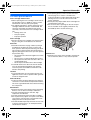
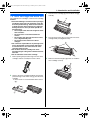
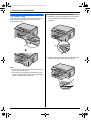
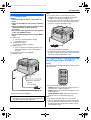
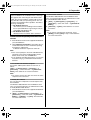
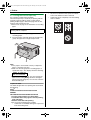
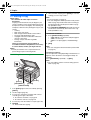
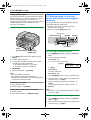
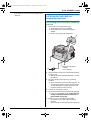
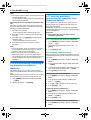
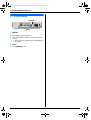
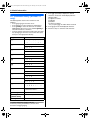
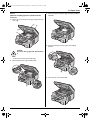
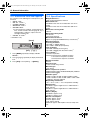
1 Connect the answering machine (1).
L Answering machine is not supplied.
L Please purchase an extension telephone
adaptor.
L Remove the stopper (2) if attached.
2
Extension telephone
adaptor
(not supplied)
1
2 Set the number of rings on the answering machine to
4 rings or less.
L This will allow the answering machine to answer
the call first.
3 Record a greeting message on the answering
machine.
L We recommend you record a message up to 10
seconds long, and not to pause for more than 4
seconds during the message. Otherwise, both
machines will not function correctly.
4 Activate the answering machine.
5 Set the unit to the desired receiving mode (page 39).
L If you set to FAX ONLY mode, change the ring
setting in FAX ONLY mode to more than 4
(feature #210 on page 48).
6 Make sure each of the following are unique:
–
–
the remote access code of the answering
machine
the fax activation code (feature #434 on page 51)
41