1
Introduction
Horizon Integrator has been designed to make your desk phone easier and more convenient to use. It can do this
in a number of ways and this document will show you how.
Integrator is designed to be discrete - always running and providing useful information as you need it, yet at the
same time not annoying and interfering when you’re trying to work. So, for most of the time, Integrator sits silently
in your tray menu, waiting for you to click on it.
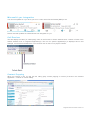
Note: In Windows 7, some tray icons become hidden and expressly have to be shown. These settings are stored
in the ‘Notification Area Icons’ part of the Windows Control Panel and will need to be updated locally.