1
Contents
Introduction ................................................................................................................... 3
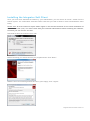
Installing the Integrator Soft Client .............................................................................. 4
Signing in ........................................................................................................................................ 5
Passwords ...................................................................................................................................... 5
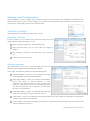
Settings and Configuration .......................................................................................... 6
Telephony settings ......................................................................................................................... 6
Interface settings ............................................................................................................................ 6
Dialling settings .............................................................................................................................. 6
Integration settings ......................................................................................................................... 7
The Basics ..................................................................................................................... 8
Tray menu ...................................................................................................................................... 8
Phone window ................................................................................................................................ 8
Preview window.............................................................................................................................. 9
Making calls .................................................................................................................................... 9
Call control ................................................................................................................................... 10
Active call ................................................................................................................................... 10
Ringing call ................................................................................................................................. 10
Features ....................................................................................................................... 11
Set forward all .............................................................................................................................. 11
Set Do Not Disturb ....................................................................................................................... 11
Presence ...................................................................................................................................... 11
Desktop Address Book (Contacts Search) with Click-to-Dial ...................................................... 12
Click-to-Dial – Outlook ............................................................................................................... 12
Click-to-Dial – Quick Dial / Search ............................................................................................. 12
Click-to-Dial – Recent Calls ....................................................................................................... 13
Click-to-Dial – Call History ......................................................................................................... 13
Click-to-Dial – Clipboard Dialling ............................................................................................... 13
Click to Dial - Web Page Dialling ............................................................................................... 14
Click to Dial – Focus Dialling...................................................................................................... 14
Presence with Click to Dial......................................................................................................... 14
Microsoft Lync Integration ............................................................................................................ 15
Call Preview ................................................................................................................................. 15
Contact Popping ........................................................................................................................... 15
Service limitations ...................................................................................................... 16
3G and 4G networks .................................................................................................................... 16
Wi-Fi Networks ............................................................................................................................. 16