1
At a glance
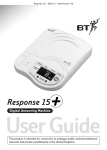
OGM
1471 on-off
Skip
Use to record and
check your personal
outgoing message.
To set the 1471
feature to on or off.
Use to skip
backwards through
your messages and
for setting the time.
Also used to switch
the audible message
alert on or off.
Ans. Mode
Lets you change
answer mode to
Answer Only so
callers are unable
to leave messages.
Time
Used to set and
check the day
and time.
Delete
Lets you delete
individual messages,
all messages or your
OGM.
Skip Use to skip
forwards through
your messages
and for setting
the time and ring
delay.
Answer on-off
Switches the answer
machine on and off.
Play/memo
VIP on-off
Play
Answer
Announces your VIP
code and allows you to
turn the VIP feature
on or off.
on/off
memo
Stop
Pause
Microphone
Pause
For recording your
outgoing message
or memo.
Stop
Stops message
playback and any
other operation.
1
Use to play
messages and
memos. Also lets
you record memo
messages.
Lets you pause a
message or memos.
Message Counter
Indicates when the
machine is on or off,
how many messages
have been left or when
the memory is full.
Volume –/+
Adjusts the volume of
message playback, OGM
and voice prompts.
Battery Low
Lights up if the
battery is not
installed or the
back-up battery
needs replacing.