1
Synergy 3100 user guide ~ 3rd Edition ~ 17th July ’02 ~ 4457
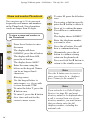
To end a call
Press the TALK button.
Or
Place the handset back on
the base.
In standby mode:
Menu
Vol
C alls
Menu
Vol
C alls
Menu
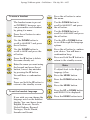
To receive a call
Redial
Vol
When the phone rings the
display will show CALL and
the EXT symbol will flash.
USING YOUR PHONE
If you have subscribed to a
Caller Display Service, the
number (and name if stored
in the phonebook) will be
displayed.
Press the TALK button.
Or
If the handset is on the base,
simply lift it up and speak.
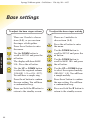
To adjust the speech volume
during a call
C alls
Menu
Secrecy
Press the button.
Press the DOWN button until
HANDSET is displayed.
Press the button.
Press the DOWN button until
EAR VOL is displayed.
Press the button.
Press the UP or DOWN
button until you reach the
required level.
Press the button to confirm
the selected level.
Press and hold the ✘ button to
return to the standby screen.
Handsfree
Handsfree allows you to talk to your
caller without holding the handset and
enables other people in the room to
listen to your conversation.
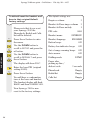
To make a handsfree call
Dial the number.
During a call:
You can adjust the earpiece
volume. There are 5 levels to
choose from.
Redial
Vol
C alls
14
Press the UP or DOWN
button until you reach the
required level. This will be
shown on the display.
eg: EAR VOL 3.
Handsfree
Press the HANDSFREE button.
The display will show the
icon to indicate handsfree
is active. You will hear the
number being dialled out.
To switch back to using the
handset at any time, press the
TALK button.