1
Table of Contents
1
Overview ..................................................................................................................................................................3
SAF FreeMile Full Outdoor Units ...........................................................................................................3
SAF FreeMile Feature Summary ............................................................................................................4
1.1
1.2
1.2.1
1.2.2
1.2.3
1.3
1.4
Main Features........................................................................................................................................... 4
Mechanical Features ............................................................................................................................... 4
Interfaces/Management .......................................................................................................................... 4
Radio Parameters .......................................................................................................................................5
Application Examples .................................................................................................................................5
1.4.1
1.4.2
1.4.3
1.4.4
1.5
1.6
2
2E1 + Ethernet with SAF FreeMile FODU .............................................................................................. 5
Low Power Active Repeater with SAF FreeMile FODU........................................................................ 6
Metro Ethernet and Mesh Networks with SAF FreeMile FODU ......................................................... 6
SAF FreeMile ring topology..................................................................................................................... 7
Technical Specification ..............................................................................................................................8
Cable Requirements ...................................................................................................................................9
Configuration and Management....................................................................................................................10
Resetting the SAF FreeMile ...................................................................................................................10
Web interface ..............................................................................................................................................10
2.1
2.2
2.2.1
2.2.2
2.2.3
2.2.4
2.2.5
2.2.6
2.2.7
2.2.8
2.2.9
2.2.10
10/100Base-T Port ................................................................................................................................. 10
Assembling the SAF FrreeMile RJ45 connector ................................................................................ 10
Ethernet management connection configuration .............................................................................. 11
Power over Ethernet injection .............................................................................................................. 14
Connecting to Web Interface................................................................................................................. 14
Interface Description ............................................................................................................................. 16
Command execution .............................................................................................................................. 17
Tx power selection.................................................................................................................................. 19
Initial configuration ................................................................................................................................ 19
Initial configuration with Web GUI........................................................................................................ 20
3
Main Web GUI sections ....................................................................................................................................21
3.1
Main page .....................................................................................................................................................21
3.2
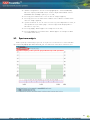
Spectrum analy sis .....................................................................................................................................23
4
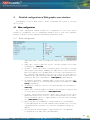
Detailed configuration in Web graphic user interface............................................................................24
4.1
Main configuration ....................................................................................................................................24
4.1.1
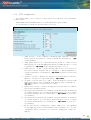
Radio configuration ................................................................................................................................ 24
4.1.2
ATPC configuration ................................................................................................................................ 25
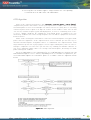
ATPC Algorithm ..................................................................................................................................................... 26
4.1.3
Modem configuration ............................................................................................................................. 27
4.1.4
Loopback configuration ......................................................................................................................... 30
Radio frequency loopback .................................................................................................................................... 31
5
Miscellaneous Controls in Web Graphic User Interface .......................................................................32
5.1
Configuration File ......................................................................................................................................32
5.2
Command Line ...........................................................................................................................................34
5.3
File System ..................................................................................................................................................34
5.4
Security Commands .................................................................................................................................35
6
Updating Software .............................................................................................................................................37
6.1
Update Software with Update Pack .....................................................................................................37
6.2
Uploading File via Ethernet Management Port (TFTP) ..................................................................38
6.3
Uploading File via Ethernet Management Port (FTP) ....................................................................39
7
Pinouts ..................................................................................................................................................................41
7.1
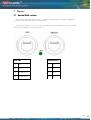
Sealed RJ45 sockets ................................................................................................................................41
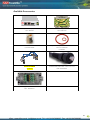
Available Accessories ................................................................................................................................................42
8
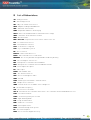
List of Abbreviations..........................................................................................................................................43
9
SAF Tehnika JS C Contacts......................................................................Error!
Error! Bookmark not defined.
The SAF FREEMI LE Series Full Outdoor Unit Technical Des cription and Configuration Guide • Rev. 1.3
© SAF Tehnika A/S 2010
4Gon www.4Gon.co.uk info@4gon.co.uk Tel: +44 (0)1245 808295 Fax: +44 (0)1245 808299
2