1
DO172 (3)
The Go Software User Guide
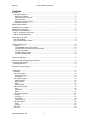
Delete ...................................................................................................................................... 24
New.......................................................................................................................................... 24
Creating multiple flowcharts ........................................................................................................ 24
Uses for running separate flowcharts .................................................................................. 25
Making flowcharts ‘talk’ to each other .................................................................................. 25
Creating Procedures ................................................................................................................... 25
Using Learn ................................................................................................................................. 26
To check and debug a control program ...................................................................................... 26
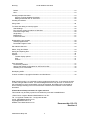
Start Settings ........................................................................................................................... 26
Run only the current procedure or flowchart ........................................................................... 26
Pause and Single Step ............................................................................................................ 26
Single Step .............................................................................................................................. 27
Breakpoints.............................................................................................................................. 27
Follow Flowchart...................................................................................................................... 27
Downloading your program ......................................................................................................... 28
Stored program limits .............................................................................................................. 28
Download Program Limits ....................................................................................................... 28
Set Interface Sensors.................................................................................................................. 29
Select, Copy and Paste............................................................................................................... 29
Saving and Opening files ............................................................................................................ 29
Printing ........................................................................................................................................ 30
Options ........................................................................................................................................ 31
Toolbar display options ........................................................................................................ 31
Grid ...................................................................................................................................... 31
Colours................................................................................................................................. 31
User information .......................................................................................................................... 31
Connection problems............................................................................................................... 31
Altering the default configuration for ACE and Go files ........................................................... 32
Glossary of Go commands ...................................................................................................... 32
Developing ACEs ........................................................................................................................ 34
Licence conditions, copyright information and disclaimers ......................................................... 35
Data Harvest's policy is to continually improve products and services, so we reserve the right
to make changes without notice. It is acknowledged that there may be error or omissions in
this publication for which responsibility cannot be assumed. No liability will be accepted for
loss or damage resulting from use of information contained in this manual or from uses as
described.
© Data Harvest Group Ltd. 2007: all rights reserved
This manual may be freely copied for use within the purchaser’s establishment.
1 Eden Court, Leighton Buzzard, Bedfordshire LU7 4FY
Tel: +44 (0)1525 373666, Fax: +44 (0)1525 851638
e-mail: sales@data-harvest.co.uk,
support@data-harvest.co.uk
Website: www.data-harvest.co.uk
© Data Harvest Group Ltd.
3
Document No: DO 172
Revision 3