1
WHAT HAPPENS WHEN A REQUEST HAS BEEN MADE
What happens after a learner has submitted a request will depend on what their administrator(s) have
specified regarding levels of authorisation. In some instances no manager/administrator approval may be
necessary and a course will automatically appear on the learner’s record as soon as they have made the
request.
In other instances the learner’s manager (and possibly also a senior administrator) will need to approve the
course prior to it being made available to the learner. For example, if there are significant costs involved,
the organisation will need to authorise this prior to the learner receiving permission to undertake the
course.
However, whatever the level of approval, the learner is kept advised of the current state of any request by
notices on their training record and messages/emails.
THE FOLLOWING PROVIDES INSTRUCTIONS RELATING TO THE 3 TYPES OF
REQUESTED LEARNING
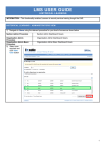
1) From the
Dashboard
Select the
Requested
Learning
Tab
2) Click on the
link to the
type of
request you
require
Then select link for your chosen
request
2