1
Table of Contents
1
Introduction............................................................................................................................ 4
1.1 Where do I find what I need? ............................................................................................................ 4
1.1.1
Installing and configuring .................................................................................................. 4
1.1.2
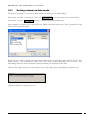
Extracting metadata from the Enterprise Application .................................................. 4
1.1.3
Exploring the contents of the Safyr repository .............................................................. 4
1.1.4
Exporting metadata from Safyr into other environments............................................. 4
1.2 Safyr manual set ................................................................................................................................... 4
2
The Repository Manager........................................................................................................ 5
2.1 Repository Manager toolbar .............................................................................................................. 6
2.2 Editing repository settings or creating a new repository ............................................................... 6
2.3 Copying an existing repository definition ........................................................................................ 6
2.4 Deleting a Repository ......................................................................................................................... 6
2.5 Import/export Repository ................................................................................................................. 6
2.5.1
Import Repository ............................................................................................................... 6
2.5.2
Export Repository ............................................................................................................... 7
2.6 Repository maintenance ..................................................................................................................... 7
2.7 The Repository .ini file ...................................................................................................................... 8
2.8 Safyr Licensing ..................................................................................................................................... 8
2.9 Managing Multiple Repositories ........................................................................................................ 8
3
Browsing the metadata in Safyr ............................................................................................10
3.1 The Safyr workspace ......................................................................................................................... 10
3.1.1
Elements of the Safyr workspace.................................................................................... 10
3.1.2
The Safyr menus ................................................................................................................ 11
3.1.3
The Safyr toolbar ............................................................................................................... 12
3.2 Safyr options ...................................................................................................................................... 13
3.3 Licensing Information ...................................................................................................................... 13
3.4 Browsing the metadata ..................................................................................................................... 14
3.5 The Model Overview ........................................................................................................................ 14
3.6 How Safyr determines the Row Count .......................................................................................... 15
3.6.1
Special Considerations for SAP and Siebel Systems .................................................... 15
3.7 Opening additional Model Overview windows ............................................................................ 16
3.8 Seeing View, Data Element and Domain information ................................................................ 16
3.9 Selecting tables in the Model Overview ......................................................................................... 17
3.9.1
To select tables .................................................................................................................. 18
3.10 Using Advanced Search .................................................................................................................... 18
3.11 Sorting columns in data mode ......................................................................................................... 22
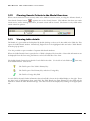
3.12 Clearing Search Criteria in the Model Overview .......................................................................... 23
3.13 Viewing table details ......................................................................................................................... 23
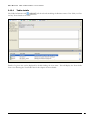
3.13.1 Table details ....................................................................................................................... 25
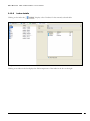
3.13.2 Index details ....................................................................................................................... 26
3.13.3 Relationship details ........................................................................................................... 27
3.14 Viewing parent/child relationships................................................................................................. 28
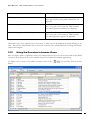
3.15 Using the Overview to browse Views ............................................................................................ 29
3.15.1 Showing the View fields ................................................................................................... 30
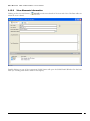
3.15.2 View Elements Information ............................................................................................ 31
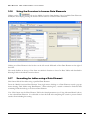
3.16 Using the Overview to browse Data Elements ............................................................................ 32