1
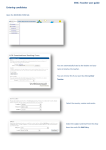
d. Click Create Account.
e. A message screen will appear stating:
“EMAIL VALIDATION
Thank you for your registration.
A message has been sent to the Email address that you have provided.
Please check your email to activate your registration”
An automatic email will be sent to the provided Email address. Please check your junk email folder if this
does not appear to have been received. Clicking on the hyperlink in the Email will activate your AMS
account.
• Register
Once you have created and activated your account, sign back in to AMS and complete the 2 page
Registration Form. To sign in to your account enter the email address and password used to create the
account and click Sign In. You will automatically be directed to the Registration Form below:
Part 1 of 2
a. The following fields in Part 1 are mandatory: - ‘Institute Name’, ‘Department’, ‘Postcode’ and
‘Institute or Departmental website’.
b. Once ‘My Institute – Part 1 of 2’ has been completed please click Next which will direct you to the
final page of the Registration Form.
UK Biobank
Resource Access Management System (AMS) User Guide v1
June 2014