1
1
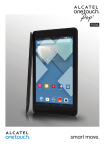
Your device
1.1
Keys and connectors
Rear Camera
Speaker
Power key
Micro SD
Volume up
Volume down
Sim
IR LED
Headset connector micro-USB connector
Front camera
Touch screen
Multitask key
• Touch to open a list of thumbnail images of applications
you've worked with recently.
Home key
• While on any application or screen, touch to return to
the Home screen.
Back key
Multitask key
Home key
Back key
• Touch to go back to the previous screen, or to close a
dialog box, options menu, the notification panel, etc.
These keys are visible when the screen lights up.
Power key
• Press: Lock the screen/Light up the screen
• Press and hold: Power on or pop up the menu to get
more options, such as Power off, Airplane mode, etc.
• Press and hold Power key and Volume down key to
capture a screenshot.
4
5