1
Section-5
4.
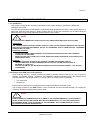
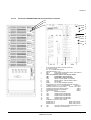
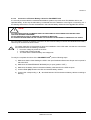
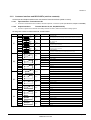
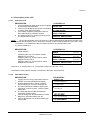
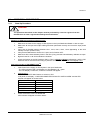
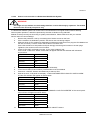
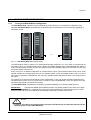
Check if the LED LINE1 and battery is green. If yes, mains voltage is OK;
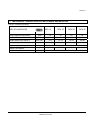
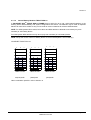
On the LCD: “LOAD OFF, SUPPLY FAILURE” will appear and the LED-indicator will indicate as
shown below:
LED Indicator
LINE 1
LINE 2
BYPASS
INVERTER
BATTERY
Colour
Green
OFF
OFF
OFF
Flashing Green
5.
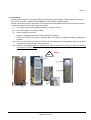
Make sure the bypass fuses F2 are inserted (front of Module);
6.
Close internal and external battery fuses/breaker (if available);
7.
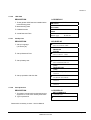
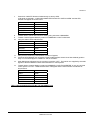
Press simultaneously both “ON/OFF” Buttons to start-up UPS.
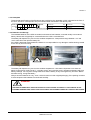
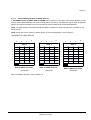
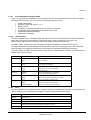
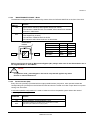
LCD panel must display: “LOAD DISCONNECTED PARALLEL SWITCH OPEN” and the LEDindicator will appear as shown below:
LED Indicator
LINE 1
LINE 2
BYPASS
INVERTER
BATTERY
Colour
Green
Green
OFF
Green
Green
8.
Transfer load to mains and inverter for testing using submenu COMMANDS
9.
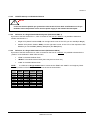
Transfer Load to Bypass-Mode by means of COMMAND “LOAD TO BYPASS”
10.
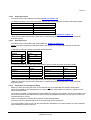
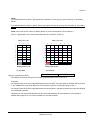
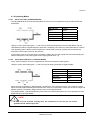
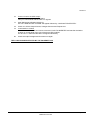
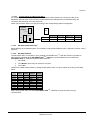
Verify the status (Load on Bypass, Eco-Mode) by checking the LED-indicators as shown below:
LED Indicator
LINE 1
LINE 2
BYPASS
INVERTER
BATTERY
Colour
Green
Green
Green
OFF
Green
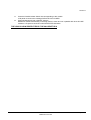
11.
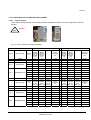
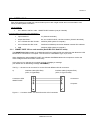
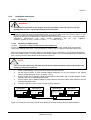
Close Parallel Isolator (IA2);
12.
Open Maintenance Bypass (IA1) by turning it to position “OFF”. The load is now supplied by the static
bypass.
13.
Transfer load to Inverter-Mode by means of COMMAND “LOAD TO INVERTER”. On LCD: “LOAD
PROTECTED” will appear.
THE LOAD IS NOW PROTECTED BY THE PMC
NRG VALUENET DPA USER MANUAL
Page 10/16
Modifications reserved