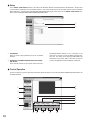
1
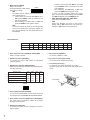
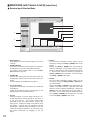
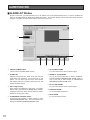
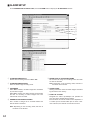
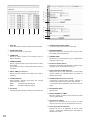
u ZOOM
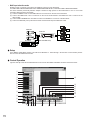
The connected combination camera (option) can be
zoomed by clicking the [TELE] or [WIDE] button under
ZOOM.
Clicking the [TELE] or [WIDE] button will operate the
camera in telescopic or wide-angle mode for a specified time, after which the mode is released automatically. These modes cannot be retained by keeping the
[TELE] or [WIDE] button depressed. You need to click
the [TELE] or [WIDE] button again.
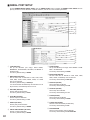
i FOCUS
The connected combination camera (option) can be
focused by clicking the [FAR], [NEAR] or [AUTO] button under FOCUS.
Clicking the [FAR] or [NEAR] button will operate the
camera in focusing mode for a specified time, after
which the mode is released automatically. Clicking the
[AUTO] button will automatically focus the video on the
screen. Focus control cannot be retained by keeping
the [FAR] or [NEAR] button depressed. You need to
click the [FAR] or [NEAR] button again.
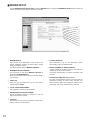
o IRIS
The connected combination camera (option) can be
controlled to close or open the iris by clicking the
[OPEN] or [CLOSE] button under IRIS. Clicking the
[OPEN] or [CLOSE] button will open or close the camera iris for a specified time, after which the operation is
released automatically.
Clicking the [RESET] button on the screen will reset
the iris of the displayed camera to the factory default
setting. Iris control cannot be retained by keeping the
[OPEN] or [CLOSE] button depressed. You need to
click the [OPEN] or [CLOSE] button again.
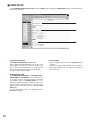
!0 AUTOPAN
The auto pan status of the connected combination
camera (option) can be changed by clicking the [ON]
or [OFF] button under AUTOPAN.
Note: When LOCAL is selected in the camera setup,
AUTOPAN automatically stops after 1 minute.
When REMOTE is selected in the camera setup,
AUTOPAN will not stop automatically.
!1 PRESET
To move the connected combination camera (option) to
any of 64 preset positions. Select a preset position
number, then press the [SET] button to move the camera to the position.
36