1
Content Central User Guide
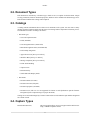
6.1. Using the Capture Frame .....................................................................
6.1.1. Pre-Capture Coding ..................................................................
6.1.2. Post-Capture Coding .................................................................
6.1.3. Versatile Coding ......................................................................
6.1.4. Capture Only ...........................................................................
6.2. Using the Drag & Drop Upload Applets ..................................................
6.2.1. Using the Context Menu or File Menu ..........................................
6.2.2. Using the Results-Frame Upload Area ..........................................
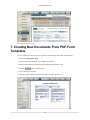
7. Creating New Documents From PDF-Form Templates .........................................
8. The Coding Queue ........................................................................................
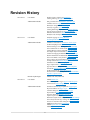
3. Searching for Documents ........................................................................................
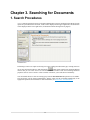
1. Search Procedures .........................................................................................
2. Searching by Packet ......................................................................................
3. QuickSearch .................................................................................................
4. Saving Search Results ....................................................................................
4. Managing Documents ............................................................................................
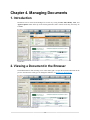
1. Introduction ..................................................................................................
2. Viewing a Document in the Browser ................................................................
3. Streaming a PDF Document ............................................................................
4. Downloading Documents ................................................................................
5. E-mailing Documents .....................................................................................
6. Faxing Documents .........................................................................................
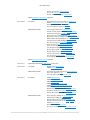
7. Appending to a Document ..............................................................................
7.1. Appending by DirectScan™ ..................................................................
7.2. Appending by QCard™ .......................................................................
7.3. Appending by Electronic Upload ...........................................................
8. Replacing a Document ...................................................................................
8.1. Replacing by DirectScan™ ...................................................................
8.2. Replacing by QCard™ .........................................................................
8.3. Replacing by Electronic Upload ............................................................
9. Editing Documents ........................................................................................
9.1. Content Director .................................................................................
9.1.1. Installation ..............................................................................
9.1.2. Settings ..................................................................................
9.2. Content Central Office Integration .........................................................
9.2.1. Settings ..................................................................................
9.2.2. Capturing New Documents .........................................................
9.2.3. Checking Out a Local Document .................................................
9.3. Editing a Document ............................................................................
9.4. Uploading Changes using CCOI ............................................................
9.5. Uploading Changes without using CCOI .................................................
10. Editing Document Properties .........................................................................
11. Viewing Document Version History ................................................................
12. Viewing a Packet ........................................................................................
13. Renaming a Document File Name ..................................................................
14. Deleting Documents .....................................................................................
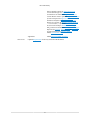
15. Uploading Revisions ....................................................................................
16. Checking Out/Checking In Documents ............................................................
16.1. Checking Out Documents ...................................................................
16.2. Checking In Documents .....................................................................
17. The Approval Queue [Enterprise Edition] ........................................................
17.1. Approving ........................................................................................
17.2. Rejecting .........................................................................................
17.3. Assigning to an Approval Process ........................................................
iii
26
27
28
28
29
30
30
31
32
33
35
35
37
37
37
39
39
39
40
40
41
42
43
43
44
44
44
45
45
46
46
46
46
47
47
48
49
50
50
50
51
51
52
53
54
54
55
55
55
57
59
60
60
61