1
Section 1 … The Printer User Interface
.
Introduction
This guide summarizes the operation and maintenance features of Extech 2000i dot matrix impact printers.
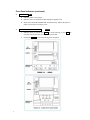
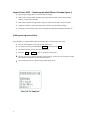
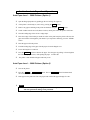
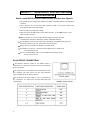
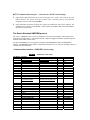
Membrane Switch Functions (see Figure 1)
<ON>
The <ON> switch turns printer power on.
<FEED>
The <FEED> switch advances the paper at a fast rate.
<OFF>
The <OFF> switch turns the printer power off, or pauses and cancels
the print process.
Note: In IrDA mode, press <FEED> momentarily, then <OFF>,
to turn printer power off
<ADVN>*
The <ADVN> switch advances paper at a normal rate.
*Note: This switch function is not present with the MCR version
Front Panel Indicators (see Figure 1)
<ON>
Green
Illuminated when the printer is in operation.
In Serial mode: Extinguishes after 20 seconds when printer defaults
to low power mode to minimize battery consumption.
In IrDA mode: the LED is on steady.
<READY>
Green
In IrDA mode: The LED is illuminated during Infrared communication;
extinguishes after 20 seconds to minimize battery
consumption.
In Serial Mode: the indicator is illuminated when the optional magnetic
card reader is ready for swiping.
Flashes twice before going into Auto Sleep mode when
connected to Host device and the Host RTS output is active.
<CHARGE>
•
Yellow
If illuminated the battery cartridge is accepting charge.
Turns off automatically at the end of the charge cycle.
<LOW PWR> Yellow
If illuminated, the battery cartridge is depleted.
Recharge battery cartridge if LED is on.
DO NOT PRINT IF THE LED IS ILLUMINATED.
2