1
ProTrack v3.5.1
September 2014
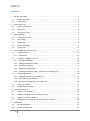
Contents
1
2
3
4
General Information ......................................................................................................................... 4
1.1
System Overview .................................................................................................................... 4
1.2
Authorisation ........................................................................................................................... 4
System Summary............................................................................................................................. 5
2.1
System Configuration .............................................................................................................. 5
2.2
Data Flows .............................................................................................................................. 5
2.3
User Access Level .................................................................................................................. 6
Getting Started ................................................................................................................................. 7
3.1
Accessing ProTrack ................................................................................................................ 7
3.2
Home Page ............................................................................................................................. 7
3.3
Logging On .............................................................................................................................. 8
3.4
System Navigation .................................................................................................................. 8
3.5
Logging Off ............................................................................................................................ 10
Project Maintenance & Follow Up .................................................................................................. 11
4.1
Creating a Project ................................................................................................................. 11
4.1.1
4.2
Changing / Updating a Project .............................................................................................. 13
4.2.1
Changing the Status .......................................................................................................... 13
4.2.2
Adding an additional contact ............................................................................................. 13
4.2.3
Awarding the project ......................................................................................................... 14
4.2.4
Adding Correspondence ................................................................................................... 14
4.2.5
Updating the follow up date – email sent to controlling reps ............................................ 15
4.3
5
6
Email alerts ........................................................................................................................ 12
Projects Whiteboard .............................................................................................................. 16
4.3.1
Adding a project to your whiteboard.................................................................................. 16
4.3.2
Accessing your whiteboard ............................................................................................... 16
4.3.3
Removing a project from your whiteboard ........................................................................ 16
4.4
Follow Up Projects ................................................................................................................ 17
4.5
Weekly follow up emails ........................................................................................................ 17
Contact Maintenance ..................................................................................................................... 18
5.1
Adding a new Company ........................................................................................................ 18
5.2
Adding a new Branch to an existing Company ..................................................................... 19
5.3
Adding a contact to a Branch ................................................................................................ 19
5.4
Changing an associated rep or ranking against a branch .................................................... 20
Dashboards .................................................................................................................................... 21
6.1
Internal Dashboard ................................................................................................................ 21
6.2
Customer Dashboard ............................................................................................................ 23
2