1
•
••
•
•
•
•
•
•
•
•
•
•
•
•
•
•
•
•
•
•
•
•
•
•
•
•
•
•
•
•
•
•
•
•
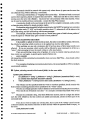
database systems order alphanumeric fields by first converting the letters to numbers (following
an agreed convention). The results can be surprising! For such specimens, choose another selection
criterion, or update under Forms Mode.
Long commands:
Ifyou put together a very long cotmnand it may exceed the allowed line length. Ifthat happens,
the command will be split in a relatively illogical way, and without special treatment will not work.
To indicate that a very long command is continued on a second line, without break, insert a dash
(-) at the end of the first line, and then start the second line by pressing <Enter>. As already noted,
it is better not to make corrnnands so long, but to divide them up into separate logical clauses, each
on a separate line.
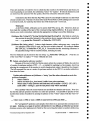
Error messages and command correction:
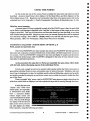
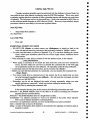
If the system doesn't like sorrething about the way you phrased your command, it will tell
you, and will not execute the command. The command will be displayed, with an asterisk below
the place where the error was found. If you divided your command into clauses on separate lines,
the offending line will be displayed with appropriately placed asterisk, as well as the line nwnber
and error type. If you have made several errors, Oracle (because it examines a command backwards)
will only display the one closest to the executive semi-colon, so it may take several goes to get the
command right
~
~
~
~
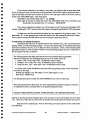
If your command was on only one line, it can be edited and re-run very simply:
<Ctrl + A> will display the command;
move back through it with the <-> key to the error;
type over what is already there. It is better to avoid <Backspace> in the middle of a
corrunand - extra spaces can be left, as they are ignored.
Execute the corrected command with <Enter>
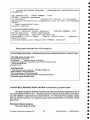
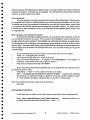
If your connnand covered several numbered lines, note carefully the line number(s) where
the error(s) oC,curred. Then:
~
Enter list n -- where "n" is the number of the line to be edited.
~
Enter c !wrong part ofcommand/correct command wording! -- in other words, following
the command ("c" stands for "change"), specify the wrong text, and the wording to replace
it Note carefully the slashes separating the two sets of text without gaps!
When all corrections have been made, rerun the command:
enter run
DATABASE STATISTICS
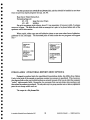
It will sometimes be useful to know how many records there are for a particular field.
Enter select count(fieldname) from paleo.tablename; -- selection conditions can
be added before the semi-colon if desired (i.e., "where ..... ").
© Australian Geological SUlVey Organisation 1995
37
PALEO DATABASE -
USER'S MANUAL