1
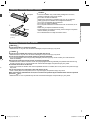
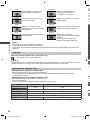
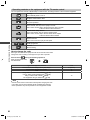
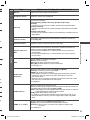
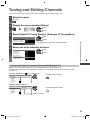
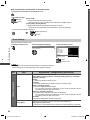
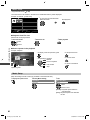
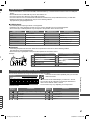
Display the selectable settings for the current status
Confirm or change the current status instantly
● To change
select
select / change
access
store
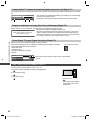
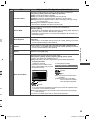
[Audio Description] (Digital TV)
Set to [Auto] if the programme has Audio Description
service, then you will hear an additional audio track to
describe events on screen
● To adjust the volume for Audio Description
(p. 32)
[Dual Audio] (Digital TV)
Selects stereo / monaural (if available)
[Audio Selection] (Digital TV)
Selects between alternative language for sound tracks
(if available)
[Volume Correction]
Adjusts volume of individual channel or input mode
[MPX] (Analogue TV)
Selects multiplex sound mode (if available)
(p. 31)
[Safely remove USB]
Takes this operation to remove the connected USB
device safely from the TV
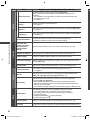
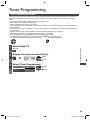
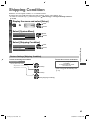
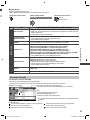
Off Timer
Watching TV
Turn the TV to Standby mode automatically after a fixed period
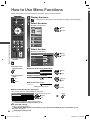
1 Display the menu
2 Select [Timer]
select
Timer
access
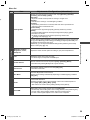
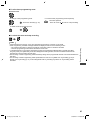
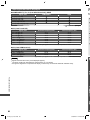
3 Select [Off Timer] and set the time in 15-minute increments
Timer Programming
Off Timer
Auto Standby
Off
15 minutes
30 minutes
45 minutes
60 minutes
75 minutes
90 minutes
select [Off Timer]
select the time
access
store
● To cancel, set to [Off] or turn the TV off.
● To confirm the remaining time
“Display Information banner” (p. 20)
● When the remaining time is within 3 minutes, the remaining time will flash on
the screen.
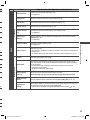
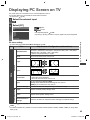
Aspect
Change the aspect ratio (image size)
Enjoy viewing the image at its optimum size and aspect.
(Press repeatedly until you reach the desired mode.)
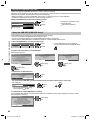
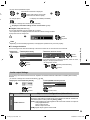
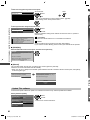
■ To change the aspect ratio manually (if available)
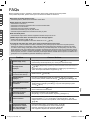
1 Display Aspect Selection list
2 While the list is displayed, select the mode
Aspect Selection
16:9
14:9
Just
4:3
4:3 Full
Zoom1
Zoom2
Zoom3
Select
EXIT
Change
select
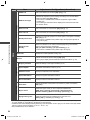
● You can also change the mode only
using the ASPECT button.
store
RETURN
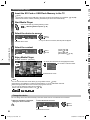
Aspect Selection list
21
th-l32_42_47e5a.indb 21
3/20/2012 12:24:51 PM