1
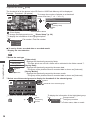
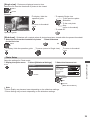
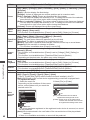
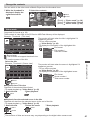
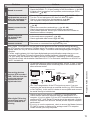
Media Player / DLNA
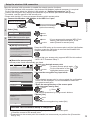
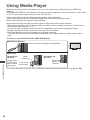
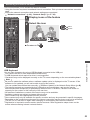
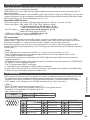
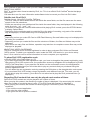
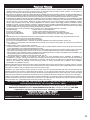
SD Card
Card format : SDXC Card - exFAT
SDHC Card / SD Card - FAT16 or FAT32
Compliant card type (maximum capacity) : SDXC Card (64 GB), SDHC Card (32 GB), SD Card (2 GB),
miniSD Card (2 GB) (requiring miniSD adaptor)
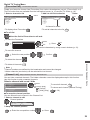
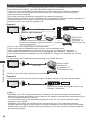
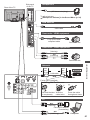
• If miniSD Card is used, insert / remove it together with the adaptor.
2.1 mm
• Check the latest information on the card type at the following website.
(English only)
http://panasonic.jp/support/global/cs/tv/
• Use an SD Card which meets SD standards. If not, it may cause the TV
to malfunction.
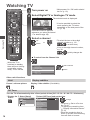
• Do not remove the card while the TV is accessing data (this can damage 32 mm
the card or TV).
• Do not touch the pins on the back of the card.
• Do not subject the card to high pressure or impact.
• Insert the card in the correct direction (otherwise, card may be damaged).
24 mm
• Electrical interference, static electricity, or erroneous operation may
damage the data or card.
• Back up the recorded data at regular intervals in case of deteriorated or
damaged data or erratic operation of the TV. (Panasonic is not liable for
any deterioration or damage of recorded data.)
USB Flash Memory
Format : FAT16, FAT32 or exFAT
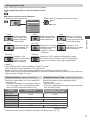
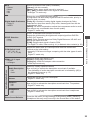
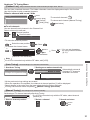
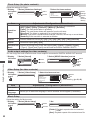
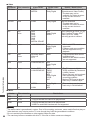
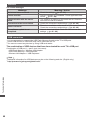
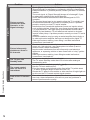
On screen messages
Message
Meaning / Action
• The file is broken or unreadable.
• The TV does not support the format.
No Device Inserted
No valid file to play
This operation is not possible
• Confirm SD Card or USB device is inserted correctly.
• The card has no data.
• Your operation is not available.
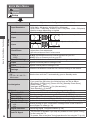
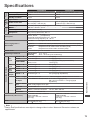
Supported file format in Media Player / DLNA
■ Photo
Format
JPEG
File extension
.jpg
Image resolution
(pixel)
8×8
to
30,719 × 17,279
Details / Restrictions
DCF*1 and EXIF*2 standards
Sub-sampling : 4:4:4, 4:2:2, 4:2:0
• Progressive JPEG is not supported.
∗1 : Design rule for Camera File system - unified standard established by Japan Electronics and
Information Technology Industries Association (JEITA)
∗2 : Exchangeable Image File - image file format used by digital cameras
Technical Information
Cannot read file
65