1
IP CONTROL
Table of Contents
1. Welcome............................................................................................................................3
2. Introduction.......................................................................................................................4
3. Key features ......................................................................................................................4
4. System components ........................................................................................................4
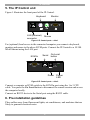
5. The IP Control unit ...........................................................................................................5
6. Pre-installation guidelines ...............................................................................................5
6.1 Avoiding general rack mounting problems .................................................................................... 6
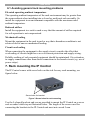
7. Rack mounting the IP Control .........................................................................................6
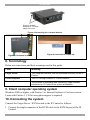
8. Terminology......................................................................................................................7
9. Client computer operating system..................................................................................7
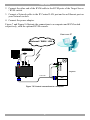
10. Connecting the system ..................................................................................................7
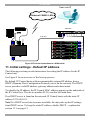
11. Initial settings - Default IP address ...............................................................................9
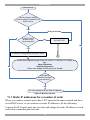
11.1 Static IP addresses for a number of units ................................................................................. 10
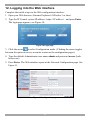
12. Logging into the Web interface ...................................................................................11
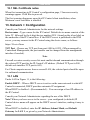
12.1 SSL Certificate notes................................................................................................................ 12
13. Network > Configuration..............................................................................................12
13.1 LAN.......................................................................................................................................... 12
13.2 Centralized Management.......................................................................................................... 13
14. Network > SNMP settings ............................................................................................13
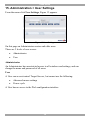
15. Administration > User Settings ...................................................................................14
15.1 Adding a user ........................................................................................................................... 15
15.2 Editing a user ........................................................................................................................... 15
15.3 Deleting a user ......................................................................................................................... 15
15.4 Blocking a user......................................................................................................................... 15
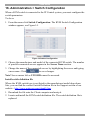
16. Administration > Switch Configuration ......................................................................16
16.1 Configuring PoCs ..................................................................................................................... 17
17. Administration > Serial Settings .................................................................................18
17.1 Show ........................................................................................................................................ 18
17.2 Assign to .................................................................................................................................. 18
18. Security > Settings .......................................................................................................19
19. Security > SSL Certificate............................................................................................19
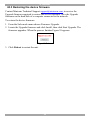
20. Maintenance > Firmware Upgrade ..............................................................................20
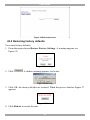
21. Restore Factory Settings .............................................................................................21
22. Saving changes and logging out ................................................................................21
23. Starting a remote session............................................................................................22
23.1 Sharing a remote session ......................................................................................................... 23
23.1.1 Private remote session ..................................................................................................... 23
23.2 Displaying the Toolbar.............................................................................................................. 23
23.3 Session profile.......................................................................................................................... 23
23.4 Full screen mode...................................................................................................................... 24
23.5 Changing the performance settings .......................................................................................... 24
23.6 Adjusting the Video settings ..................................................................................................... 25
1