1
Contents
1.
Introduction..........................................................................................................3
1.1.
1.2.
1.3.
1.4.
2.
Product Feature........................................................................................3
Software System Requirement................................................................3
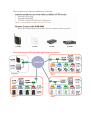
Reference Application..............................................................................4
Package List..............................................................................................5
3.
Panel introduce.....................................................................................................6
2.1.
Front Panel ...............................................................................................6
2.2.
Rear Panel.................................................................................................6
Installation ............................................................................................................7
4.
3.1.1.
Hardware Installation .........................................................................7
3.1.2.
Utility Installation ................................................................................7
IP Audiocast Manager .......................................................................................10
4.1.
Interface description.............................................................................. 11
4.2.
Start to use .............................................................................................. 11
4.2.1.
Play Background Music ....................................................................12
4.2.2.
IP Audiocast Manager Info ...............................................................12
5.
4.2.3.
4.2.4.
4.2.5.
4.2.6.
Make Announcements .......................................................................13
Manage Zones.....................................................................................13
Configure an IAT-1000 ......................................................................14
Set the IP Address of an IAT-1000 ....................................................16
4.2.7.
4.2.8.
4.2.8.1.
4.2.8.2.
4.2.9.
Activate and Deactivate an IAT-1000...............................................17
Main feature – System .......................................................................17
Edit Playlist.....................................................................................17
Edit Schedule..................................................................................18
Main feature – Play............................................................................18
4.2.10. Main feature – FTP............................................................................19
4.2.11. Help .....................................................................................................21
FAQ .....................................................................................................................21