1
[NVR MANAGEMENT SOFTWARE USER MANUAL] 3
Live Video ..................................................................................... 55
Working with the Live Video Page .................................................... 55
Video Quick Access Functions .......................................................... 57
Using PTZ Control Panel .................................................................59
Use Mouse-over-video PTZ ............................................................. 59
Drag and Drop to Relocate Videos ................................................... 60
View Window switcher....................................................................60
Support Two Full screen View ......................................................... 61
Side menu Bar ..............................................................................62
Camera Tree list ............................................................................63
Sequence View..............................................................................64
Live View Pattern Groups................................................................65
Functions available in Full Screen .................................................... 67
Automatic Sequence View in Full Screen........................................... 68
Event Monitor ............................................................................... 70
Playback Events from Event Monitor ................................................ 71
Filter and Search Events .................................................................71
Playback ....................................................................................... 73
Searching for Playback Videos ......................................................... 73
Capture Snapshots of a Playback Video ............................................ 75
AVI Export ....................................................................................75
E-Map Monitor .............................................................................. 76
Service Mode ................................................................................ 80
NVR Overview .............................................................................. 82
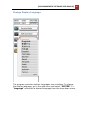
Change Display Language ............................................................. 83
Lock Screen .................................................................................. 84
Check Camera and NVR Status ..................................................... 86