1
IA Networks Technology
IPM3300 User Guide
Content
Chapter 1 Introduction
1.1 Product Introduction
1.2 Caution
1.2.1 Danger
1.2.2 PRODUCT WARRANTY & CUSTOMER SUPPORT
1.2.3 LIMITATION OF WARRANTY
1.3 Specification
Chapter 2 Installation
2.1 Safety
2.2 Mounting
2.2.1 Size and Latch
Chapter 3 Connection
3.1 Back view of connect port
3.1.1 Aux. Power Supply
3.1.2 Digital Output
3.1.3 Current Terminal
3.1.4 Voltage Terminal
3.2 Wiring diagram
3.2.1 1P2W/1CT
3.2.2 1P3W/2CT
3.2.3 3P3W/2CT
3.2.4 3P3W/3CT
3.2.5 3P4W/3CT
Chapter 4 Display and setup
4.1 Display
4.2 Operation
4.2.1「M」Button
4.2.2 「P」Button
4.2.3「E/T」Button
4.2.4 「V/A」button
4.3 Setting「M」、「P」、「E/T」and「V/A」
4.3.1 General Setting (N)
4.3.2 Clear Setting (C)
4.3.3 Alarm Setting (A)
Chapter 5 Communication format
5.1 RS485
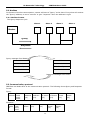
5.1.1 RS485 standard
5.1.2 Wiring for instruments communication
5.2 Modbus
5.2.1 Modbus Format
5.3 Communication protocol
5.4 IEEE 754 Format
5.5 Modbus RTU Mode
5.6 Modbus Function Code
5.7 IPM3300 Parameter
1