1
Classic DocuSign Experience User Guide
2
Copyright ©2003-2015 DocuSign, Inc. All rights reserved.
For information about DocuSign trademarks, copyrights and patents refer to the DocuSign Intellectual Property page
(https://www.docusign.com/IP) on the DocuSign website. All other trademarks and registered trademarks are the property of
their respective holders.
No part of this document may be reproduced or transmitted in any form or by any means, electronic or mechanical, for any
purpose, without the express written permission of DocuSign, Inc. Under the law, reproducing includes translating into
another language or format. Every effort has been made to ensure that the information in this manual is accurate. DocuSign,
Inc. is not responsible for printing or clerical errors. Information in this document is subject to change without notice.
Classic DocuSign Experience User Guide: Updated April 3, 2015
If you have any comments or feedback on our documentation, please send them to us at: Documentation@DocuSign.com.
Summary of changes for this version:
•
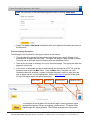
Clarified that when using the Concealed Field feature senders cannot see concealed
information when viewing the PDF. But senders, or envelope owners if the envelope has been
transferred, can use the Form Data option to download the information after the envelope is
complete.
221 Main Street, Suite 1000, San Francisco, CA 94105 Ι Tel. 866.219.4318 Ι www.docusign.com Ι © DocuSign, Inc.