1
To cancel a job or batch:
Batch\ Monitor [-clustername <name>] [-clusterid <IP address> <port number>
<user name> <password>] -kill -jobid <identifier> -batchid <identifier>
Command options
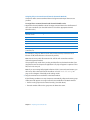
This table provides information about each of the command options for
monitoring batches.
Monitoring command option
Description
[-clustername <name>]
Use to specify the name of the cluster to which the job was sent.
[-clusterid
<user name:password@IP
address:port number>]
Optionally, you can use -clusterid to enter the cluster ID and
port number instead of using -clustername.
Or, if you used -clustername and the cluster requires a password,
use -clusterid to specify the user name and password. (You need
to include the IP address: port number as well whenever you use
-clusterid.)
Tip: Use Apple\ Qmaster -show or Compressor -show to see a
cluster’s IP address and port number.
[-jobid <identifier> batchid <identifier>]
Use to specify the job you want to monitor.
When you use the -jobid option, you must also specify the
-batchid, in the form of the name that was given to the batch
when it was submitted. (The batchid and jobid are displayed after a
batch is submitted.)
If you do not use the -jobid option, all the jobs submitted to the
specified cluster are listed.
[-timeout <seconds>]
Use to specify the number of seconds before Batch Monitor can
quit when looking for a cluster. The default value is 0, which puts
no limit on the timeout and allows Batch Monitor to browse the
network for as long as it needs to find the cluster.
[-query <seconds>]
Use to specify how frequently, in seconds, the job status should
be updated.
[-kill -jobid <identifier> Cancels the specified job or batch.
-batchid <identifier>]
[-help]
Displays information about supported options for Batch\ Monitor.
Appendix B Command-Line Usage
331