1
June 9, 2014
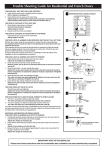
To enter Programming Mode, locate the square white button on the back of the VendConnect
Reader (See Figure 1 on Page 1). Press the button once and there should be an audible ‘beep’
and the message on the front of the Reader will change. On the VendConnect Reader LCD you
should see ‘Options Menu’.
Ensure network cable and MDB link are connected and there is no damage
After verifying that the reader has properly entered the 'Programming Mode' and the proper
'Options Menu' is displayed, the next step is to ensure all of the connections in the machine are
proper before moving on. There are two main connections for the VendConnect Reader the
MDB Communication/Power, and the Cat5e Network Cable. The MDB cable is located on the
rear of the VendConnect Reader in the lower middle position (See Figure 1 on Page 1) and the
Network cable plugs into the top left. You will also want to ensure that the Cat5e network cable
is securely plugged into the Network Port on the top of the VendConnect Reader (Shown
below). There should be an audible ‘click’ when the network connection is fully seated in the
port. Also ensure that the other end of the network cable is plugged into a network enabled
port to connect the Vending Machine to the end users network.
Check for LED status on network Jack
After connecting the network cable, you
should notice there are two LED lights, one
on either side of the locking tab. These two
lights indicate the status of the connection
to the end users network. If no lights are lit
up after plugging in the network cable, and
if the VendConnect Reader is powered,
there is no physical connection to another
network enabled device. It is also important
to note that the Right LED will remain solid
on when connected to a network, and the left LED will flash to indicate communication on
the network.
© Copyright 2012 - Kane’s Distributing Ltd., All rights reserved.
For technical support please call 905-688-8823 or your local distributor.
The information contained in this document has been carefully checked and is believed to be reliable.
However, VendConnect and/or Kane’s Distributing Ltd. assumes no responsibility for inaccuracies. Document Rev 120327