1
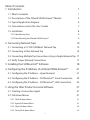
Table of Contents
1 Introduction
1
1.1 What is included
1
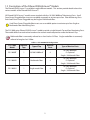
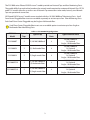
1.2 Descriptions of the Filtered SINGLEstream™ Models
2
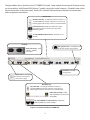
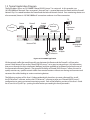
1.3 Typical Application Diagram
6
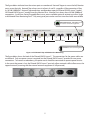
1.4 Conventions used in the User’s Guide
7
1.5 Installation
8
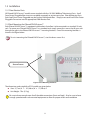
1.5.1 Fiber Monitor Ports
8
1.5.2 Rack Mounting the Filtered SINGLEstream™
8
2 Connecting Network Taps
10
2.1 Connecting a 10/100/1000BaseT Network Tap
10
2.2 Connecting a Fiber Network Tap
13
2.3 Connecting Multiple Tap Connections Using a Single Network Tap 17
2.4 Verify Proper Network Connections
17
3 Installing the FLOWcontrol™ Software
18
4 Configuring the IP Address of a Filtered SINGLEstream™
21
4.1 Configuring the IP Address – HyperTerminal
21
4.2 Configuring the IP Address – FLOWcontrol™, Serial Connection
29
4.3 Configuring the IP Address – FLOWcontrol™, LAN Connection
32
5 Using the Filter Product Console Software
37
5.1 Creating a Connection Agent
37
5.2 Pull-down Menus
41
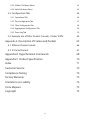
5.2.1 File Pull-down Menu
41
5.2.2 Agent Pull-down Menu
41
5.2.3 Filter Pull-down Menu
42
5.2.4 Control Pull-down Menu
42