1
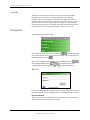
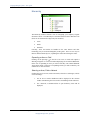
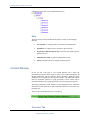
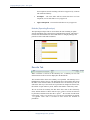
Integrity Manager system – User guide Introduction Alfadata’s Integrity Manager Application is designed to keep track of problems related to your company’s equipment and procedures that have been uncovered during inspection, automated risk assessments, or by other means. The Integrity Manager system allows management to easily see the status of detected deficiencies, and allows employees to keep track of the actions that have been performed to help mitigate the risk associated with these deficiencies. Operations Management can use Integrity Manager’s - Integrity Dashboards to get an overview of the company’s performance at the company level, area level, system level or network level. Management can drill into a network and examine or update mitigation plans, concerns and consequences, and approve risks. Operation Engineers have the same dashboard overviews as management and can drill into the details to manage their specific actions and open items. Getting Started Integrity Manager is a web-based application and is designed to work with Microsoft Internet Explorer web browser (IE). Use IE to browse to your company’s installation of Integrity Manager, once you have connected to the URL for your specific installation of Integrity Manager you should see a screen similar to the image above. Navigation is on the left and on the right the main content windows. NOTE 2/25/2011 12:48:00 PM You may need to contact your IT department to get a URL to your company’s installation of Integrity Manager. Copyright 2007 Alfadata Technologies Corporation. All Rights Reserved. Integrity Manager User guide.doc Page 3