1
42
ProCop 3.5
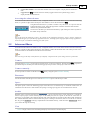
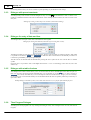
The actual floating time range is thus defined by:
Length range - unlike the absolute and relative time interval, the floating time range is not defined as the
time of the start and end, but the length of the time axis. The time of the end is always the current time
(plus any shift – see below)
Rounded to whole nr. – by rounding off the interval, we actually define after what period the time axis is
automatically shifted. When setting the rounding off to seconds, the time axis displayed will change every
second, when rounding off to whole minutes, the time axis will change every minute, etc.
Offset by ... back towards current time – the offset of the whole displayed interval against the current
time. It is usually a good idea to set the time axis shift as a certain percentage of the interval displayed. In
this way you can ensure that the current time is not exactly the same as the right edge of the displayed
cutout but is far enough from it, which creates a much clearer impression overall.
Note
The resulting specified time interval, which corresponds to the current date and time, is displayed in the area Current
time range .
4.4.4
Filter of samples in text trends
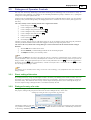
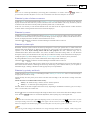
In the middle part of the dialogue for setting the date and time, there is a filter for samples in text trends. This allows the
user to set the period samples are displayed in the text trends, independent of the actual trending of values by the
system.
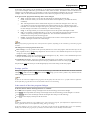
It is possible to select from these filters:
All samples – displays all samples from the database, no filters applied
With period; shift – allows the user period with which individual samples are displayed to be entered.
Then the shift of the period against midnight also. Entering is accepted in the format when the period and
its semi-colon (;) is first introduced and then it is possible to introduce the shift of the period and its unit.
Units can be used as follows: s - second, m - minute, h - hour, d - day.
Example: 1 h; 15 m
Every day – displays one sample per day in the hour entered.
Every week – displays one sample per week, at midnight on the selected day.
Every S . in the month – displays one sample per month, at midnight on the entered day.
Tolerance of the time for samples
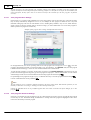
Tolerance of the time for samples allow a sample to be displayed that does not have a precise time according to the
selected period, shift (not functioning when selecting "All samples"). The value tolerated of the time deviation is relative
against the entered period and is entered in percent of the period (max. 50%).
Consumption
In the filter of samples it is possible to select the option "Consumption". This option displays the difference of the value
following from the current one in place of the actual measured values of trends. Therefore, if we select a filter, e.g. "Every
day", we get a table of daily consumptions, i.e. the differences between values of the current and following day. With this
option, the time is displayed as an interval (December 2006) or the start of an interval, to which the consumption
pertains. The end is the time of the next row.
Let us give some examples of usage. For each, we first select the required time period for which we want to
calculate the consumption, tick "Consumption" and set a filter:
Hourly consumption – we select the filter W ith period; shift and enter in the period
1h; 0 s
Daily consumption – we select the filter Ev ery day at and enter the hour of the reading.
Weekly consumption – we select the filter Ev ery week and enter the day of the reading.
Monthly consumption – we select the filter Ev ery month and enter the day of the reading.
Selection of tolerance allows the approximate consumption to be displayed even when at the given moment the sample
was not available. If we cancel this option, in places where there is no sample available, the sample with the precise
period does not display any data.
© 2015 ALFA Mikrosystémy, s.r.o.