1
Using the Address Book
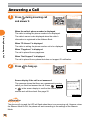
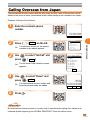
The receiver's phone number can be loaded and a call is placed easily by saving
frequently called phone numbers in the Address book.
Saving in the Address Book
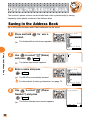
Up to 500 phone numbers and E-Mail addresses can be saved.
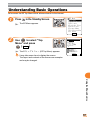
1
Press and hold
second.
for over a
The Address Book edit screen appears.
Address Book
000
なし
OFF
Same as Group
Select Save
Using the Address Book
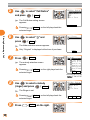
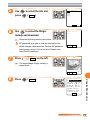
2
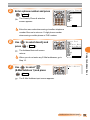
Use
to select " " (Name)
and press
( Select ).
Name
The Name input screen appears.
3
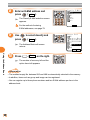
Enter a name and press
( OK ).
Address Book
000
Margaret Watso
MargaretWatson
The READ is automatically entered.
For the method of entering characters, see page 76.
なし
OFF
Same as Group
Select Save
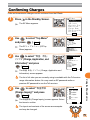
4
Use
to select " " (Phone
Number 1) and press
( Select ).
The Phone Number input screen appears.
Phone Number
XX/XX
Add'l#
38
OK